Create 6 views from a solidworks SLDPRT file.
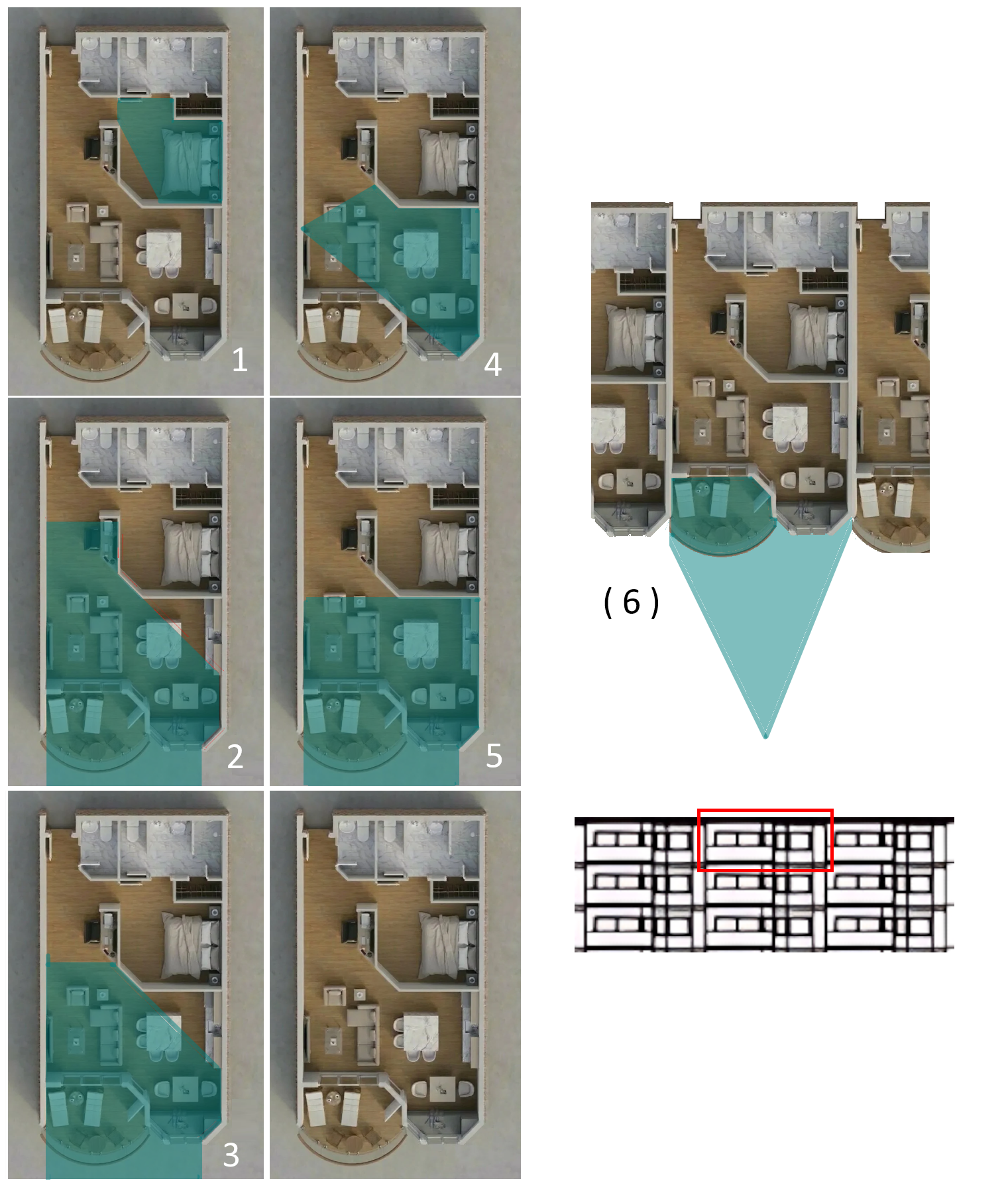
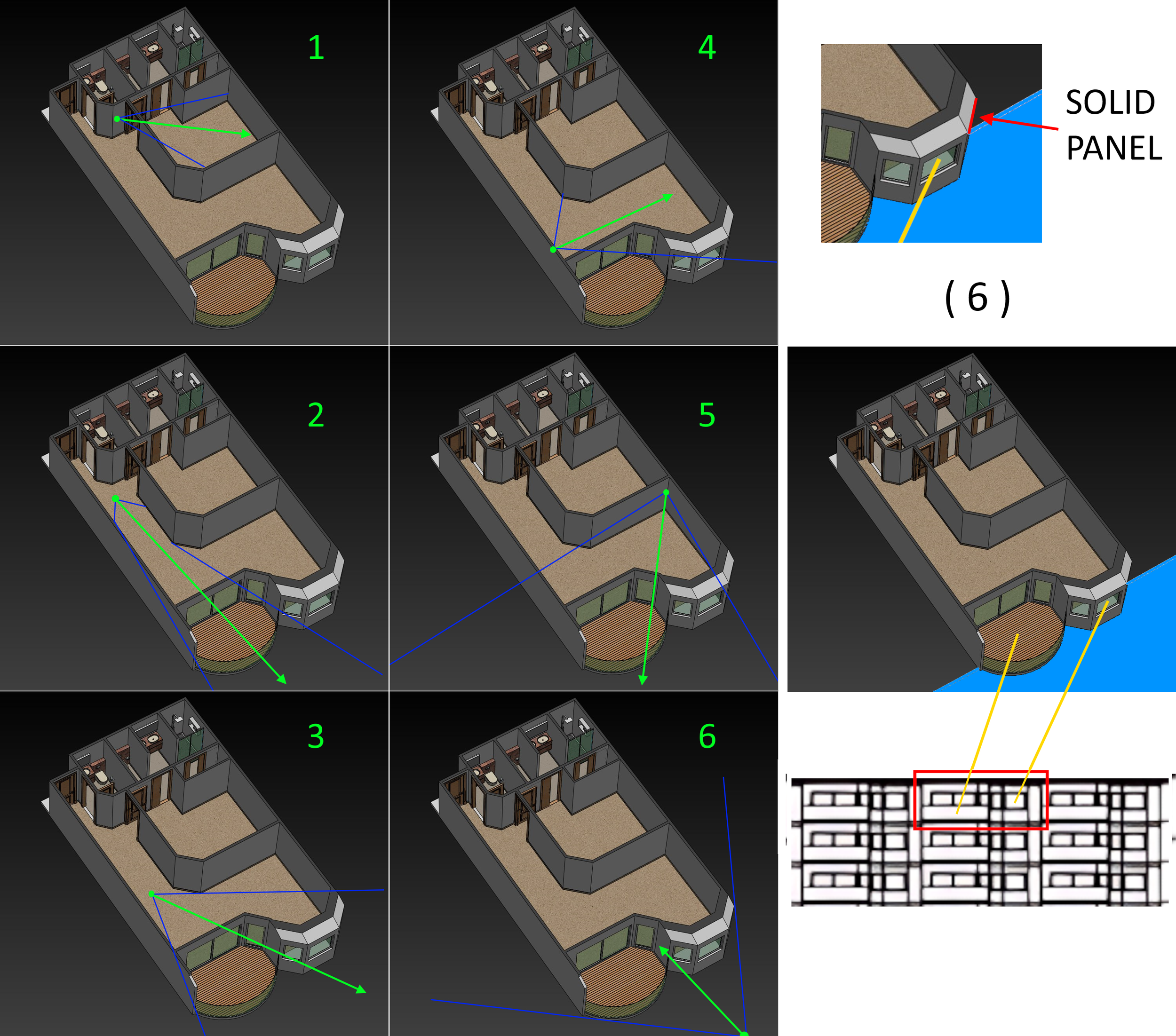
5 - interior views (#1-5)
1 - exterior view (#6)
Export views to image files ( .PNG )
Notes:
This is a waterfront condominium, with the balcony and bay window extending over the water. There is no land between the balcony and water.
Views 1-5 should be at eye level (apx 1.5m from floor) see blue areas
View 6 to include the entire balcony and Bay Window / Day bed from aproximately 8-10m from the structure. Position of camera should be at center and high enough to see the deck. and window.
One exterior window should be a solid panel. See pannel marked in RED
These units are not stacked evenly. They are offset, each unit above is recessed into the building 0.5m. This is the reason for the panels over the bay window. Do not remove these panels.
SEE ABOVE INSTRUCTIONS
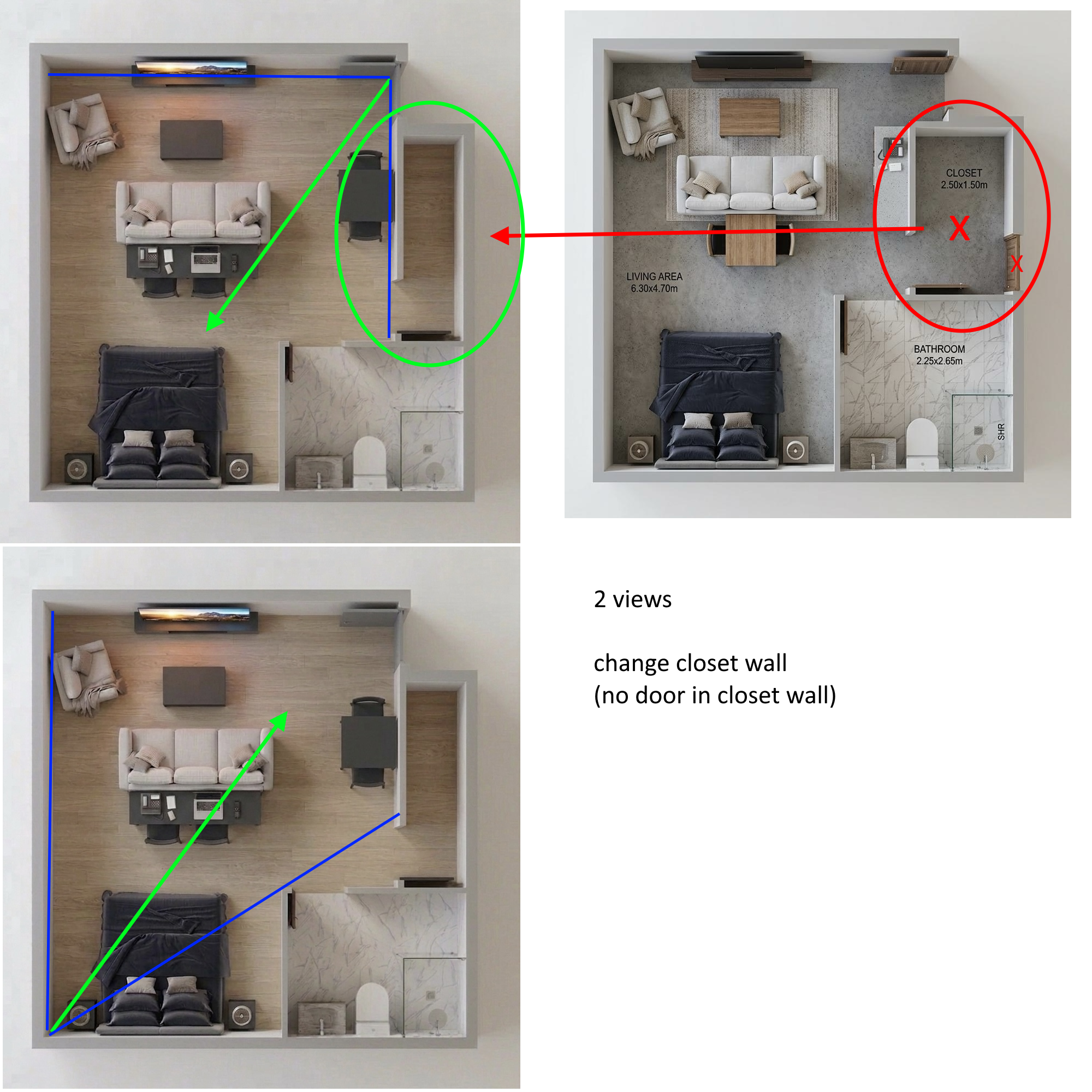
Modify SLDPRT file - Move 1 wall (closet)
Create 2 views from .SLDPRT file.
Camera should be at eye level (apx 1.85m from floor)
Export views to image file ( .PNG )
Download Solidworks Files
SLDPRT 1 file
SLDPRT 2 file